Can I transpose or double parts in MuseScore just by typing what I want?
Yes. In AiHud Notation Copilot you type requests like "double the flute melody in violin I an octave lower, bars 1-8" or "transpose the flute up a step in bars 5-8". It copies or moves the notes in concert pitch, writes transposing instruments correctly and warns you when a note goes out of range.
These small jobs are quick with keyboard shortcuts too; Copilot is handiest when the same change touches several parts or many bars ("double the melody in all the strings").
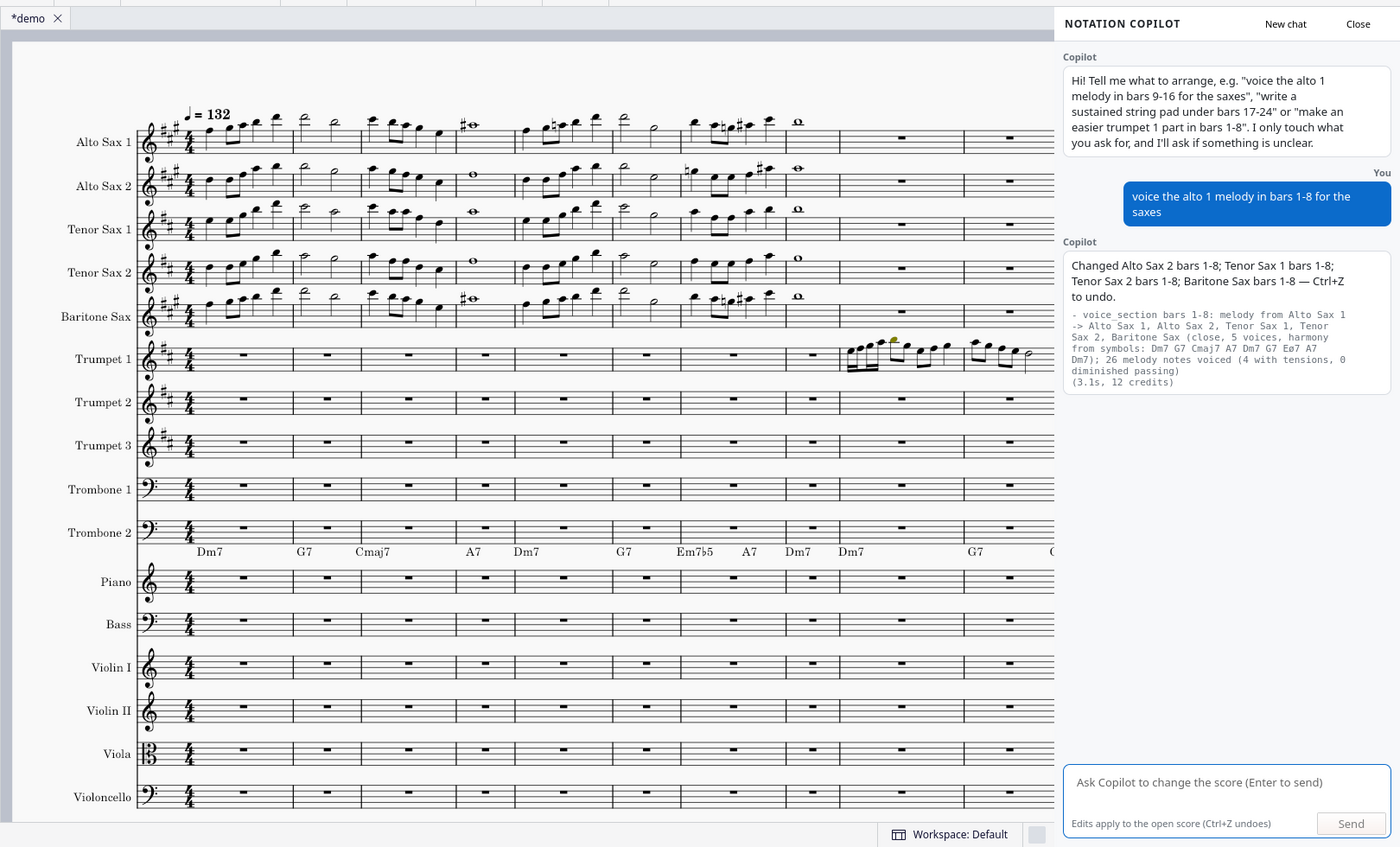
How it works: install in 4 steps
- Get a free key on copilot.aihud.net and click “Download the plugin”. The zip has your key built in, so there is nothing to paste.
- Unzip it into your MuseScore plugins folder, so you end up with a
NotationCopilotfolder there:
Windows:Documents\MuseScore4\Plugins\
Mac:Documents/MuseScore4/Plugins/(in Finder: Go → Home → Documents)
Linux:~/Documents/MuseScore4/Plugins/ - Restart MuseScore 4, open Home → Plugins and click Notation Copilot → Enable.
- Open a score and choose Plugins → Composing/arranging tools → Notation Copilot. Type what you want in the chat.
Example requests and what you get
double the flute melody in violin I an octave lower, bars 1-8
Result: Violin I gets the flute line an octave down; if violin I already has notes it tells you how it added the line.
transpose the flute up a step in bars 5-8
Result: Every flute note in bars 5-8 moved up a whole step; the other parts are left alone.
move the right-hand melody in bars 1-4 to the left hand
Result: Notes copied to the bass staff of the piano and cleared from the treble staff.
Honest limits
- It edits the score you have open; it can't add new instruments or staves. Add the staff in MuseScore first (press I), then ask Copilot to write for it.
- Each request is one undo step: one Ctrl+Z (Cmd+Z on Mac) puts the score back exactly as it was.
- It works in MuseScore Studio 4.x (Windows, macOS, Linux) and needs an internet connection; your score is sent to AiHud only to make the edit and is not stored.
- Big jobs (more than about 128 part-bars at once) ask you to confirm first. Vague requests get a short question with one-click options instead of a guess.
- It writes from your chord symbols, or from the harmony it reads in the score when there are none. It is a fast first draft: check it by ear like you would a student's or a colleague's part.
Price
Free for 100 applied edits a month, no card needed (questions and “nothing to change” replies don’t count). After that, pay as you go with AiHud credits: A request typically uses 10 to 25 credits (1 credit = $0.001); a request that needs a clarifying question costs two rounds. $10 is roughly 400 to 1,000 requests. See pricing.
Try AiHud Notation Copilot on your own score. Free for 100 edits a month.
Have a PDF or a photo of the music? Convert it to an editable MuseScore file for free, or transpose it for any instrument, then edit it here with AI.
Convert a PDF or photo · Transpose a chart · All AiHud AI Sheet Music Lab tools
Related questions
- Is there an AI plugin for MuseScore 4?
- How do I write a walking bass line in MuseScore with AI?
- How do I harmonize a melody for a horn section in MuseScore?
- How do I make an easier version of a part for beginner students in MuseScore?
- Is there an AI composition assistant for MuseScore for students and teachers?
- Frequently asked questions